
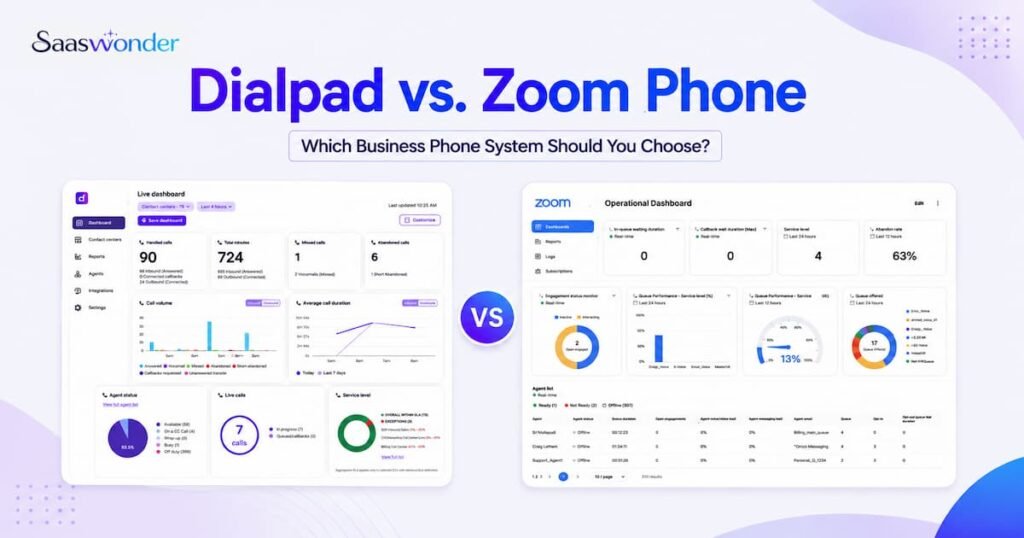
Dialpad and Zoom Phone both give businesses cloud calling, messaging, call routing, and collaboration tools, but they are built around different strengths. Dialpad is stronger for AI-powered phone conversations, call summaries, coaching, and sales or support workflows. Zoom Phone is stronger for teams already using Zoom Meetings, Zoom Team Chat, and the wider Zoom Workplace suite.
Choose Dialpad if your business wants AI-led calling with strong conversation intelligence. Choose Zoom Phone if your team already works inside Zoom and wants voice, meetings, chat, and collaboration in one familiar platform.
Highlights:
- Dialpad is stronger for AI transcription, call summaries, real-time coaching, and conversation insights.
- Zoom Phone is stronger for teams that already depend on Zoom Meetings, Team Chat, and Zoom Workplace.
- Dialpad Connect pricing is simple for phone-first teams, with Standard and Pro plans priced per user.
- Zoom Phone has more plan options, including metered, regional unlimited, Global Select, and Workplace bundles.
- Dialpad suits sales and support teams that need call intelligence and customer conversation records.
- Zoom Phone suits remote and hybrid teams that want phone, meetings, chat, whiteboard, and collaboration tools in one ecosystem.
- Neither tool is perfect for every business, so compare pricing, AI, integrations, call management, support, and long-term growth before choosing.
Dialpad vs Zoom Phone: Quick Comparison
Dialpad works better when calls are the centre of sales, support, and customer conversations. Zoom Phone works better when business calling needs to sit inside a broader meeting and collaboration platform.
| Category | Dialpad | Zoom Phone |
| Core use | AI-powered business communication platform for calls, messages, meetings, and customer conversations. | Cloud phone system inside the Zoom Workplace ecosystem for calls, SMS, meetings, chat, and collaboration. |
| Starting paid phone plan | Standard: $27/user/month, or $15/user/month when billed annually. | US & CA Unlimited Phone + Workplace Basic: $20/user/month, or $16/user/month when billed annually. |
| Pricing model | Per user. | Per user, with metered, unlimited, global, and Workplace bundle options. |
| AI strength | Stronger for phone-focused AI such as transcription, summaries, live coaching, and conversation intelligence. | Strong for Zoom Workplace AI, post-call summaries, voicemail prioritisation, task extraction, and meeting-related AI. |
| Meetings | Available, but not the main reason most teams choose Dialpad. | Stronger meeting ecosystem with Zoom Meetings, Team Chat, Whiteboard, Clips, and Workplace bundles. |
| Call management | Strong call routing, ring groups, analytics, call recording, and team-level call handling. | Strong cloud PBX features, call recording, call routing, direct numbers, SMS/MMS, online fax, and admin controls. |
| Integrations | Connects with productivity, CRM, helpdesk, and sales tools. | Connects with Salesforce, Slack, Microsoft, Google, Zoom Contact Center, and the Zoom ecosystem. |
| Best fit | Sales, support, and customer-facing teams that want stronger call intelligence. | Remote, hybrid, and collaboration-heavy teams that already use Zoom. |
| Main limitation | Per-user pricing can become costly as teams grow, and some advanced tools sit in higher products or plans. | Phone-first teams may pay for broader Workplace tools they do not fully use. |
Dialpad Overview
Dialpad is an AI-powered communication platform for business calling, messaging, meetings, and customer conversations. It is a better fit for teams that want call intelligence, AI summaries, transcription, coaching tools, and a phone system that supports sales and support workflows.
Dialpad is not only a basic VoIP phone service. It combines cloud calling with AI and team communication features, which makes it useful for businesses that review customer conversations, track follow-ups, and need call insights without listening to every recording manually.
Key Features
- VoIP calling and business SMS/MMS.
- AI call transcription and call summaries.
- AI coaching and conversation intelligence features.
- Call routing, ring groups, departments, and auto-attendants.
- Call recording and voicemail.
- Team messaging and meetings.
- CRM, helpdesk, and productivity integrations.
- Analytics and reporting for customer conversations.
- Desktop, web, and mobile apps.
Pricing Plans
Dialpad Connect uses per-user pricing. The total cost increases as more users join the account, so teams should compare the monthly cost against the AI, call management, and integration features they actually need.
- Standard: $27/user/month, or $15/user/month (when billed annually).
- Pro: $35/user/month, or $25/user/month (when billed annually).
- Enterprise: Custom pricing.
Pros and Cons
Pros:
✅ Strong AI tools for call transcription, summaries, and conversation insights.
✅ Good fit for sales and support teams that review many customer calls.
✅ Clean interface across desktop, web, and mobile apps.
✅ Useful integrations for CRM, helpdesk, and productivity workflows.
✅ More phone-first AI depth than Zoom Phone for many customer-facing teams.
Cons:
❌ Per-user pricing can become expensive as the team grows.
❌ Some advanced sales, support, and contact centre features sit in separate Dialpad products.
❌ Teams that mainly need video meetings may find Zoom more familiar.
❌ Setup can need more planning when call routing, departments, and workflows grow.
Zoom Phone Overview
Zoom Phone is a cloud phone system built into the Zoom Workplace ecosystem. It is a better fit for teams that already use Zoom for meetings, chat, webinars, rooms, or collaboration and want phone calls inside the same environment.
Zoom Phone gives businesses cloud calling, SMS/MMS, call recording, direct phone numbers, admin controls, and integrations. Its biggest advantage is the wider Zoom ecosystem, especially for remote and hybrid teams that want meetings, chat, phone, whiteboard, clips, and scheduling tools in one place.
Key Features
- Cloud phone system with domestic calling options.
- Domestic SMS and MMS in supported countries.
- Call recording and voicemail.
- Direct inward dial numbers.
- Call routing and central admin management.
- Online fax on supported plans.
- Zoom Meetings and Team Chat integration.
- Zoom AI Companion features such as post-call summaries and task extraction.
- Integrations with Salesforce, Slack, Microsoft, Google, and Zoom Contact Center.
Pricing Plans
Zoom Phone pricing depends on the calling plan and bundle. Some plans focus on phone service, while others combine Zoom Phone with Zoom Workplace features such as meetings, chat, whiteboard, clips, and AI Companion.
- US & Canada Metered: $10/user/month. Outbound calls use metered rates.
- US & CA Unlimited Phone + Workplace Basic: $20/user/month, or $16/user/month (when billed annually).
- Pro Plus Phone + Workplace Pro: $21.99/user/month, or $18.33/user/month (when billed annually).
- Business Plus Phone + Workplace Business: $26.99/user/month, or $22.49/user/month (when billed annually).
- Global Select: $20/user/month, billed annually at $240/user/year.
Pros and Cons
Pros:
✅ Strong fit for businesses already using Zoom Meetings and Zoom Workplace.
✅ Flexible phone plans for metered, regional unlimited, and global calling needs.
✅ Good collaboration value when phone, meetings, chat, and whiteboard matter together.
✅ Useful integrations with common business tools and the wider Zoom ecosystem.
✅ Clear admin controls for remote and hybrid teams.
Cons:
❌ Phone-first teams may not need the full Zoom Workplace bundle.
❌ AI phone insights are useful, but Dialpad is stronger for call-focused conversation intelligence.
❌ Add-ons can increase the final cost for international calling, extra numbers, and advanced needs.
❌ Teams outside Zoom may need time to adapt workflows into the Zoom ecosystem.
Dialpad vs Zoom Phone Pricing
Dialpad is easier to compare if your team needs a phone-first AI communication tool. Zoom Phone gives more plan choices, but businesses must check whether they need a simple calling plan or a full Zoom Workplace bundle.
| Plan Type | Dialpad | Zoom Phone |
| Entry phone plan | Standard: $27/user/month, or $15/user/month when billed annually. | US & Canada Metered: $10/user/month with metered outbound calling. |
| Unlimited domestic phone plan | Standard or Pro, depending on feature needs. | US & CA Unlimited Phone + Workplace Basic: $20/user/month, or $16/user/month when billed annually. |
| Middle plan | Pro: $35/user/month, or $25/user/month when billed annually. | Pro Plus Phone + Workplace Pro: $21.99/user/month, or $18.33/user/month when billed annually. |
| Higher plan | Enterprise: Custom pricing. | Business Plus Phone + Workplace Business: $26.99/user/month, or $22.49/user/month when billed annually. |
| Global plan | International calling and global needs depend on plan and setup. | Global Select: $20/user/month, billed annually at $240/user/year. |
| Cost advantage | Better when each user needs phone-focused AI, call insights, and sales/support conversation tools. | Better when teams already use Zoom and want phone, meetings, chat, and collaboration in one bundle. |
Dialpad vs Zoom Phone Features
Both platforms support modern business calling, but Dialpad leans more toward AI-powered call intelligence while Zoom Phone leans more toward collaboration inside the Zoom ecosystem.
| Feature | Dialpad | Zoom Phone |
| VoIP calling | Yes | Yes |
| Business SMS/MMS | Yes | Yes, in supported regions |
| Voicemail | Yes | Yes |
| Call recording | Yes | Yes |
| Call routing | Yes | Yes |
| Auto-attendant / IVR | Yes | Yes |
| AI transcription | Yes | Yes, plan and feature dependent |
| AI call summaries | Yes | Yes |
| Live coaching | Stronger for call-focused teams | More limited compared with Dialpad |
| Meetings | Available | Stronger native meeting ecosystem |
| Team chat | Available | Strong through Zoom Team Chat |
| Online fax | Limited or setup dependent | Available on supported plans |
| CRM integrations | Strong | Strong |
| Contact centre options | Available through separate Dialpad products | Available through Zoom Contact Center |
| Best feature strength | AI call intelligence | Meetings and collaboration ecosystem |
Dialpad vs Zoom Phone AI Features
Dialpad is stronger for teams that want AI to improve phone conversations. Zoom Phone is stronger when AI needs to support meetings, Workplace collaboration, post-call tasks, and voicemail workflows.
Dialpad helps teams capture transcripts, summaries, coaching moments, and conversation insights from business calls. Zoom Phone offers AI Companion features such as post-call summaries, voicemail prioritisation, and task extraction, but Zoom’s broader AI value is stronger when teams also use Zoom Meetings and Workplace tools.
Review Calls Without Guesswork
Dialpad vs Zoom Phone Integrations
Dialpad and Zoom Phone both support useful business integrations, but they serve slightly different workflows. Dialpad fits phone-first sales and support workflows, while Zoom Phone fits teams that already manage collaboration through Zoom.
Dialpad connects with business tools for productivity, CRM, helpdesk, and customer communication. Zoom Phone connects with tools such as Salesforce, Slack, Microsoft, Google, and Zoom Contact Center, while also keeping phone calls inside the wider Zoom Workplace environment.
Dialpad vs Zoom Phone Call Management
Dialpad gives teams strong call management with AI context, call routing, departments, analytics, and conversation records. Zoom Phone gives teams strong cloud PBX control, direct numbers, SMS/MMS, call recording, online fax, and central administration.
Choose Dialpad if managers need deeper call-level insight for sales and support coaching. Choose Zoom Phone if the team needs business calling tightly connected with Zoom meetings, chat, and hybrid work tools.
Dialpad vs Zoom Phone Reviews and Ratings
Review ratings show that both products have strong market adoption, but users praise them for different reasons. Dialpad often receives praise for ease of use and AI transcription, while Zoom receives praise for collaboration, device access, and the strength of its wider meeting platform.
| Review Platform | Dialpad | Zoom Phone / Zoom | What it means |
| G2 | 4.4/5 | 4.5/5 | Zoom shows a higher public G2 rating in comparison data, while Dialpad remains strong for AI-led communication. |
| Capterra | 4.2/5 | 4.6/5 | Zoom leads on Capterra in broad review data, helped by its large meeting and collaboration user base. |
Dialpad vs Zoom Phone Customer Support
Customer support matters because phone issues can directly affect sales calls, support queues, and customer trust. Dialpad and Zoom both support business users, but the right choice depends on whether your team needs phone-first setup support or broader collaboration platform support.
Dialpad is useful when teams need support for call routing, AI call tools, CRM workflows, and customer-facing communication. Zoom Phone is useful when teams need support across phone, meetings, chat, admin controls, and the full Zoom Workplace setup.
Dialpad vs Zoom Phone: Which One Should You Choose?
Choose Dialpad if customer calls are central to your sales or support process. Choose Zoom Phone if your business already runs on Zoom and wants voice calling inside the same collaboration platform.
Choose Dialpad if:
- Your team needs stronger AI transcription, summaries, and call intelligence.
- Your sales or support managers review calls for coaching and performance.
- Your business wants phone-first workflows with CRM and helpdesk connections.
- Your team needs clear conversation records after customer calls.
- You want a communication platform built around customer interactions.
Choose Zoom Phone if:
- Your team already uses Zoom Meetings, Zoom Team Chat, or Zoom Workplace.
- Your business wants phone, meetings, chat, and collaboration in one ecosystem.
- Your team needs flexible metered, unlimited, or global calling plans.
- Your users value a familiar Zoom interface.
- Your business runs remote or hybrid meetings every day.
Conclusion
Dialpad is better for teams that need AI-powered calling, transcription, summaries, coaching, and customer conversation insights. Zoom Phone is better for teams that already use Zoom and want a cloud phone system connected with meetings, chat, whiteboard, and collaboration tools.
The better choice depends on how your team works. A sales or support team that studies every customer call may get more value from Dialpad. A remote or hybrid team that already depends on Zoom may find Zoom Phone easier to adopt.
Frequently Asked Questions
Is Dialpad better than Zoom Phone?
Dialpad is better than Zoom Phone for teams that need stronger AI call transcription, summaries, coaching, and customer conversation insights. Zoom Phone is better for teams that already use Zoom and want phone, meetings, chat, and collaboration in one platform.
Is Zoom Phone cheaper than Dialpad?
Zoom Phone can be cheaper for some teams because it offers a $10/user/month metered plan and bundled Workplace options. Dialpad can offer better value when every user needs phone-focused AI, call insights, and customer conversation tools.
Does Dialpad have better AI than Zoom Phone?
Dialpad has stronger AI for phone conversations, especially transcription, call summaries, coaching, and conversation intelligence. Zoom Phone has useful AI Companion features, but Zoom’s AI value is stronger when teams also use meetings and Workplace tools.
Can Zoom Phone replace Dialpad?
Zoom Phone can replace Dialpad if your business mainly needs cloud calling, SMS, meetings, chat, and Zoom Workplace collaboration. Dialpad may still be the better choice if your team needs deeper call intelligence for sales, support, and customer conversations.
Can Dialpad replace Zoom Phone?
Dialpad can replace Zoom Phone for teams that want AI-powered calling and customer conversation tools more than a meeting-first platform. Zoom Phone may still be better if your team already depends on Zoom Meetings and Zoom Workplace every day.
Which is better for sales and support teams, Dialpad or Zoom Phone?
Dialpad is usually better for sales and support teams that need call intelligence, coaching, summaries, and customer conversation records. Zoom Phone works better when those teams also depend heavily on Zoom Meetings, chat, and collaboration tools.