
For years, physical SIM cards were the only way to connect a phone to a mobile network. You inserted a small card, activated a plan, and stayed connected. Today, eSIM technology adds a new option, one that eliminates the need for a physical card and changes how users manage mobile connectivity.
As a result, many people adopt eSIMs, assuming they work everywhere, while others stick to physical SIMs and miss out on the flexibility eSIMs can offer. Choosing between the two without understanding their differences can lead to device compatibility issues, travel limitations, or unnecessary switching costs.
To clear up the confusion, this guide breaks down eSIM vs. physical SIM in a simple, practical way. You’ll learn how each option works, their pros and cons, and real-world use cases, helping you decide which SIM type best fits your device, travel plans, and everyday mobile needs.
Key Highlights
- Physical SIM and eSIM both enable mobile connectivity for calls, messages, and data, but they differ in how they are delivered, activated, and managed.
- A physical SIM is a removable card that works with almost all mobile phones, is easy to transfer between devices, and does not require internet access for activation. Still, it can be lost, damaged, or inconvenient when switching carriers or traveling.
- An eSIM is embedded directly into the device, allowing digital activation, easy carrier switching, support for multiple profiles, and greater convenience for travel. However, it is limited to newer devices and supported regions.
- Choosing between a physical SIM and an eSIM depends on device compatibility, travel frequency, security preferences, and whether you value traditional simplicity or digital convenience.
Physical SIM vs. eSIM: A Quick Overview
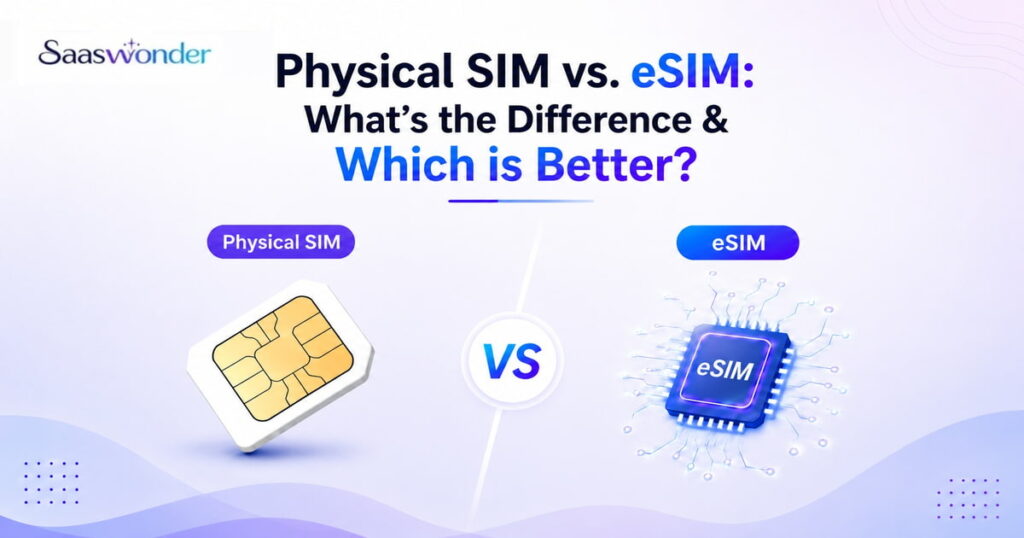
The key difference between a physical SIM and an eSIM is how they are delivered and managed. Particularly, a physical SIM is a removable card that must be inserted into your device, while an eSIM is embedded directly into the phone and activated digitally.
Both options serve the same purpose, which is to connect your device to a mobile network for calls, messages, and mobile data. However, the way they are activated, switched, and used in daily scenarios varies significantly.
What is a Physical SIM?
A Physical SIM (Subscriber Identity Module) is a removable card or chip that connects your mobile phone or device to a cellular network. It identifies and authenticates your devices to make calls, send messages, and access mobile data.
To use a physical SIM, you insert the card into your phone’s SIM tray. Once activated by a carrier, the SIM authenticates your device on the network without much effort. As a result, it is the most familiar and widely used method of mobile connectivity. Plus, physical SIM cards have been the standard for decades and are supported by most smartphones, feature phones, and mobile devices today.
Pros and Cons of a Physical SIM
| Pros | Cons |
| Works with most mobile phones, including older devicesEasy to switch between devices by moving the SIM cardFamiliar and straightforward setup processBroad carrier support worldwideNo internet required for activation | Can be lost, damaged, or misplacedRequires manual insertion and removalLess convenient when changing carriers while travelingSwitching SIM sizes may require adapters |
What is an eSIM?
An eSIM (embedded SIM) is a digital SIM card built directly into your phone or device. As it’s already part of your device’s hardware, you don’t need to insert or remove an eSIM while switching carriers. It also allows you to activate a mobile plan without a physical card, providing greater convenience and flexibility.
eSIM technology is commonly found in newer smartphones, tablets, smartwatches, and laptops. It enables you to manage mobile plans through device settings, making it easier to add, remove, or switch networks without physically changing SIM cards.
Pros and Cons of eSIM
| Pros | Cons |
| No physical SIM card requiredAllows remote activation and carrier switchingSupports multiple carriers on a single deviceIdeal for travel and short-term plans | Not supported by all devices or carriersYou cannot simply swap the eSIM to another phoneLimited availability in certain regionsRequires device access for recovery or reactivation |
Key Differences Between a Physical SIM & an eSIM
The key differences between a physical SIM and an eSIM lie in how they are embedded and activated. They also differ in terms of size, flexibility, device compatibility, security, travel convenience, and overall cost.
1. Activation & Setup
Activating a physical SIM typically involves inserting the SIM card into the device and waiting for activation by the mobile carrier. This may require you to visit a retail store, wait for a SIM card to be activated, or contact customer support to check the activation status if you are buying online.
Conversely, eSIM activation is handled digitally. You receive a QR code or activation details from the carrier, which are used to download the eSIM profile directly onto the device. Although the activation process usually requires an internet connection, eSIM allows for faster setup and easier carrier switching.
2. Size
A physical SIM card comes in different sizes (Standard, Micro, Nano). These SIMs must be inserted into a tray on your device, which takes up physical space.
On the contrary, an eSIM is built into the device’s motherboard and is smaller than a nano-SIM.
3. Flexibility
Physical SIMs are limited in flexibility, you can only use one at a time unless your phone supports dual SIM slots. Changing carriers or switching numbers typically involves removing the current SIM and inserting a new one.
Digital SIMs can store multiple profiles, allowing you to get two or more numbers on one phone. Plus, you can also easily switch between personal, business, or international numbers from your phone settings.
4. Device Compatibility
Physical SIM cards are universally compatible with most mobile phones made in the last two decades, from budget to flagship models. As long as the SIM size matches the slot, it can be used interchangeably between devices.
Conversely, eSIM is primarily available on newer devices such as iPhone XS and later models, the latest Google Pixel phones, Samsung Galaxy S20 and newer variants, along with a wide range of smartwatches.
5. Travel
Physical SIMs can be inconvenient for travel, as you often need to buy a local SIM card at your destination. This means finding a store, showing ID, and swapping cards.
On the other hand, you can buy and activate a local plan online before you arrive at your destination. You just need to scan a QR code and you’re connected. So, eSIM is easier when travelling.
6. Security
Physical SIMs are vulnerable to theft and tampering. If someone steals your SIM, they can insert it into another phone and gain access to your number. Another potential risk is SIM swapping attacks, where a hacker tricks the carrier into transferring your number to a new SIM.
As eSIMs are embedded, they can’t be physically removed or stolen. Additionally, switching profiles usually requires authentication, like a passcode or biometric scan, offering better protection.
7. Cost
Traditional SIMs come with production, packaging, and shipping costs. Plus, replacing a lost SIM or switching carriers may involve fees and waiting for a new card.
On the other hand, eSIMs itself is built into your phone without extra cost, and the activation process is typically free.
Quick Comparison Between a Physical SIM and an eSIM
| Feature | Physical SIM | eSIM |
| Physical Design | Removable plastic card inserted into the device | Embedded directly into the device |
| Activation method | Insert the SIM and activate it through the carrier | Install and activate a digital carrier profile |
| Device compatibility | Works with almost all mobile phone | Supported mainly by newer devices |
| Switching devices | Easily transferable between phones | Requires reactivation on a new device |
| Multiple numbers | Limited unless the device has dual SIM slots | Can store and manage multiple profiles |
| Travel convenience | Requires buying and swapping local SIM cards | Allows instant access to local plans digitally |
| Security | Can be removed or misplaced | Cannot be physically removed |
| Internet for setup | Not required | Required for initial activation |
How to Activate Physical SIM?
To activate a physical SIM, purchase a SIM card, insert it into your phone, activate the SIM, and then set up your phone’s network settings.
- Purchase a SIM Card: Buy a SIM card from your mobile carrier’s store, website or an authorized retailer.
- Insert the SIM Card: Once you have the physical SIM, insert it into the SIM tray on your phone.
- Activate the SIM: Most carriers automatically activate the SIM when you insert it into the device. However, if this is not the case, contact the customer for assistance.
- Wait for Activation: The SIM card can take a few minutes to a few hours to fully activate. Once it’s done, you’ll receive a confirmation message.
- Restart if Necessary: If you don’t get a signal after a while, try restarting your phone.
How to Activate eSIM?
To activate eSIM on your iPhone or Android device, obtain an eSIM profile from carrier, scan the QR code, enter details, and activate it.
- Check Device Compatibility: Ensure your device supports eSIM. You can check compatibility by dialing *#06# on your phone. An EID (Embedded ID) number (32-digit) will be displayed if supported.
- Obtain an eSIM Profile: Get your digital eSIM profile via a QR code, through your carrier’s app, or by contacting customer support.
- Add eSIM on Your Device: You can find this option in the settings app of your iPhone or Android device.
- For iPhone: Go to Settings > Cellular (or Mobile Data) > Add Cellular Plan
- For Android: Go to Settings > Network & Internet > SIMs (or SIM card manager or Mobile network) > Add eSIM (or Add mobile plan).
- Choose Activation Method: Scan the provided QR code or manually enter the activation details. Follow the on-screen instructions to confirm and activate.
- Activate the eSIM: Once the profile is downloaded, your phone will automatically connect to the network, and your digital SIM is activated.
eSIM Vs Physical SIM: Which One is the Best Option for You?
Choosing between an eSIM and a physical SIM depends on your needs, such as travel habits, phone compatibility, and managing multiple numbers. It also varies based on whether you prefer a digital setup or traditional SIM use.
| Use Case | Recommended Option | Reason |
| International Travel | eSIM | Enables digital activation of local or regional plans without swapping SIM cards. |
| Older or Non-eSIM Devices | Physical SIM | Many older smartphones do not support embedded SIM technology. |
| Managing Multiple Numbers | eSIM | Allows users to store and switch between multiple profiles on one device. |
| Simple, Familiar Usage | Physical SIM | Offers a traditional, easy-to-understand setup with minimal configuration. |
| Frequent Phone Switching | Physical SIM | Makes it easy to move service between devices without reactivation. |
| Business or Work Phones | eSIM | Helps manage separate work and personal numbers on the same device. |
| Short-term Connectivity Needs | eSIM | Ideal for temporary plans with quick setup and no physical handling. |
Conclusion
Both physical SIMs and eSIMs serve the same core purpose of connecting your device to a mobile network, but they differ significantly in how they are used and managed.
Physical SIMs remain a reliable choice due to their broad compatibility, simplicity, and ease of transferring between devices, especially for older phones. eSIMs, on the other hand, offer greater convenience through digital activation, support for multiple profiles, and improved flexibility for travel and modern smartphone usage. So, choosing between the two ultimately depends on your device, usage patterns, and how much flexibility you need in managing mobile connections.