
Getting blocked by someone can be confusing and frustrating. It can leave you wondering if it was intentional or did they accidentally hit the wrong button. Well, if you’re trying to figure out how to call someone who blocked you, fear not; there are ways to do so.
Whether they meant to block you or it was a mistake, there are still multiple ways for you to find a path back to communication. However, if it was intentional, it’s crucial to respect their decision and boundaries. But if you’re unsure, let’s take a closer look at your options for calling them.
What is Call Blocking?
Call Blocking is a form of call screening that allows you to block both inbound and outbound calls from specific numbers. This feature helps stop bots, spam callers, telemarketers, and other unwanted numbers from reaching you. By blocking unwanted calls, you can increase productivity and reduce interruptions.
Call blocking is useful for both personal and professional use, ensuring that you only receive calls from desired contacts. It provides an added layer of security and peace of mind, allowing you to focus on more important tasks without being disturbed by unsolicited calls.
How to Know If Someone Blocked Your Phone Number?
People block numbers for various reasons. They might not want to communicate, keep in touch, or engage with you in any way. Here are some signs that may indicate someone has blocked your phone number:
- No response: If you keep trying to reach someone, and they don’t respond to the call, or after one ring, the number is not available, engaged, or busy. It might have been blocked.
- Voicemail after one ring: If your call goes to voicemail after just one ring, it could be because the number has been blocked.
- Automated messages and no ring: If the call ends quickly without ringing, and you hear an automated message, it means the number has been blocked.
- Call disconnect immediately: If your call disconnects right away when you try to reach someone, it could indicate your number is blocked.
- Number not in service message: If you receive a notification stating that the number is not in service, it may mean that the person has blocked your number.
How to Call Someone Who Blocked You?
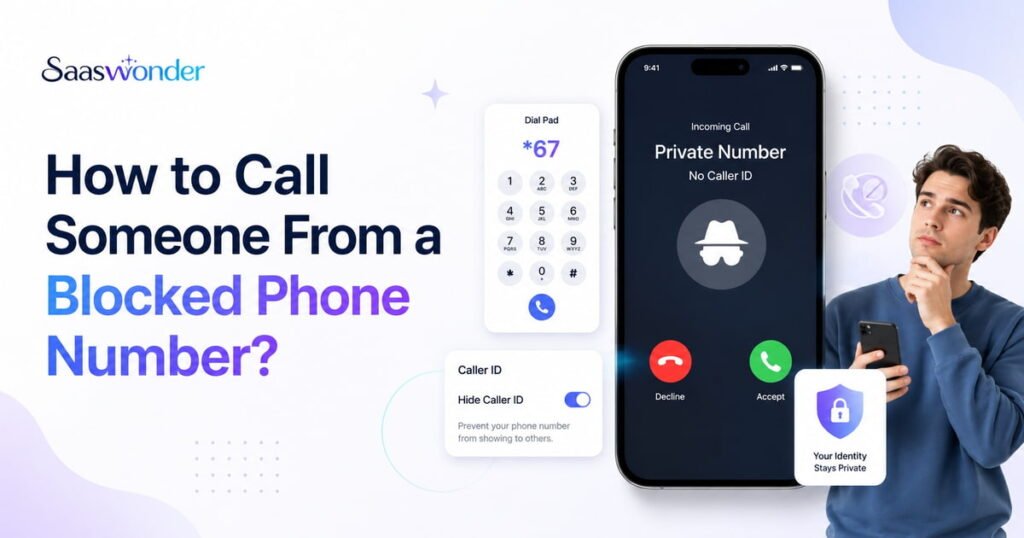
You can bypass call blocking by hiding your caller ID using built-in phone features or *67. Additionally, you can acquire a different phone number to call or contact them on social media platforms like WhatsApp or Facebook Messenger.
1. Hiding Your Caller ID Using Your Phone’s Built-in Feature
When you hide your caller ID, you can bypass a contact-specific block. That’s because your phone doesn’t send the number information, so the blocked number list can’t recognize your call. However, if the person you’re calling has turned on the “Silence Unknown Callers” feature, your call can’t go through. Your hidden call will be blocked just like any other private number call, and it might go straight to voicemail or get a busy signal. But, you can also try it to text someone who has blocked you.
2. Using *67
Using *67 is a quick way to call someone who blocked you, while it is mainly used in the US and nearby regions. Applying your phone’s built-in feature to hide your caller ID will show your number as private to all your contacts. So, utilizing *67 lets you hide your actual phone number only for that specific call. Other countries have their own codes, too. For example, in Australia and Germany, you can use #31# before the number, in Japan, it’s 184, and in the UK and Ireland, it’s 141.
3. Using a Different Phone Number
The easiest way to call someone who blocked you is from a different phone number. You can use a public phone if there’s one nearby or ask a friend or relative if you can borrow their phone for a quick call. Calling from a number they haven’t blocked can help you get through their call screening. But be careful not to overuse the same number repeatedly, and always respect others’ privacy.
4. Using Social Media Platforms
Connecting through social media apps like WhatsApp, Facebook Messenger, Viber, Telegram, or Snapchat can be a smart way to reach someone who blocked your phone number. Many people use different apps for messaging and calls, so you can still be able to send a message or call through these platforms. Moreover, these apps often show when someone is online or has read your message, giving you clues if your contact is active.
5. Leveraging VoIP Services
Leveraging VoIP (Voice over Internet Protocol) services is an effective way to contact someone who has blocked your number. Many VoIP providers, such as Calilio and RingCentral, among others, offer you virtual phone numbers. You can use it to call and bypass any blocks on your personal phone.
How to Call Someone Who Blocked Your Number from iPhone
You can hide your caller ID on your iPhone and call the person who has blocked you with eas
Follow these steps to do so:
- Open Settings on your iPhone.
- Click on the Phone app.
- Tap on Show My Caller ID.
- Slide the Switch to disable caller ID.
How to Call Someone Who Blocked Your Number from Android
Disable your caller ID in the Settings, and call the person who blocked you from Android.
On Samsung:
- Open the Phone app.
- Click on the three-dot menu and go to the Settings option.
- Tap Supplementary Services from the list of options.
- Click on Show your caller ID, and select Never from the pop-up.
On Pixel:
- Open the Phone app.
- Access Settings by clicking the three-dot menu at the top right corner.
- Select Calling accounts and choose your desired SIM/Network.
- Tap on Additional settings.
- Click on Caller ID.
- Select Hide number from the pop-up.
Note: After calling the person who blocked your number, ensure you go back to your phone settings and turn on “Show My Caller ID.” This will make your number visible for other calls.
Alternative Ways to Contact Someone Who Has Blocked You
Leave a Voicemail
Even if you’ve been blocked, you can still leave a voicemail. This gives you a chance to express your thoughts, clear up any misunderstandings, or simply ask for a conversation. Keep your message respectful and brief, explaining the reason for reaching out. Sometimes, a voicemail can be a less intrusive way to let someone know you’d like to reconnect.
Send a Message or Mail
If you have their email address, send a message via Gmail or another email service. Alternatively, you can reach out through social media platforms, where they might not have blocked you. This allows you to communicate without using your phone number. Additionally, if they have blocked you on one, there are a few more, including Viber, Telegram, WhatsApp, and others, considering they have an active account on the said platform.
Conclusion
As there are many ways to know if someone has blocked you, there are also several methods to contact them even after being blocked. You can try different approaches, such as hiding your caller ID, using *67, calling from a different number, or reaching out via social media. Each of these methods offers a chance to bypass the block and potentially reconnect.